
The numbers, on your Home Screen.
Five widgets, a Lock Screen figure, three Control Center buttons, and an inbox for everything Cashrou tells you.
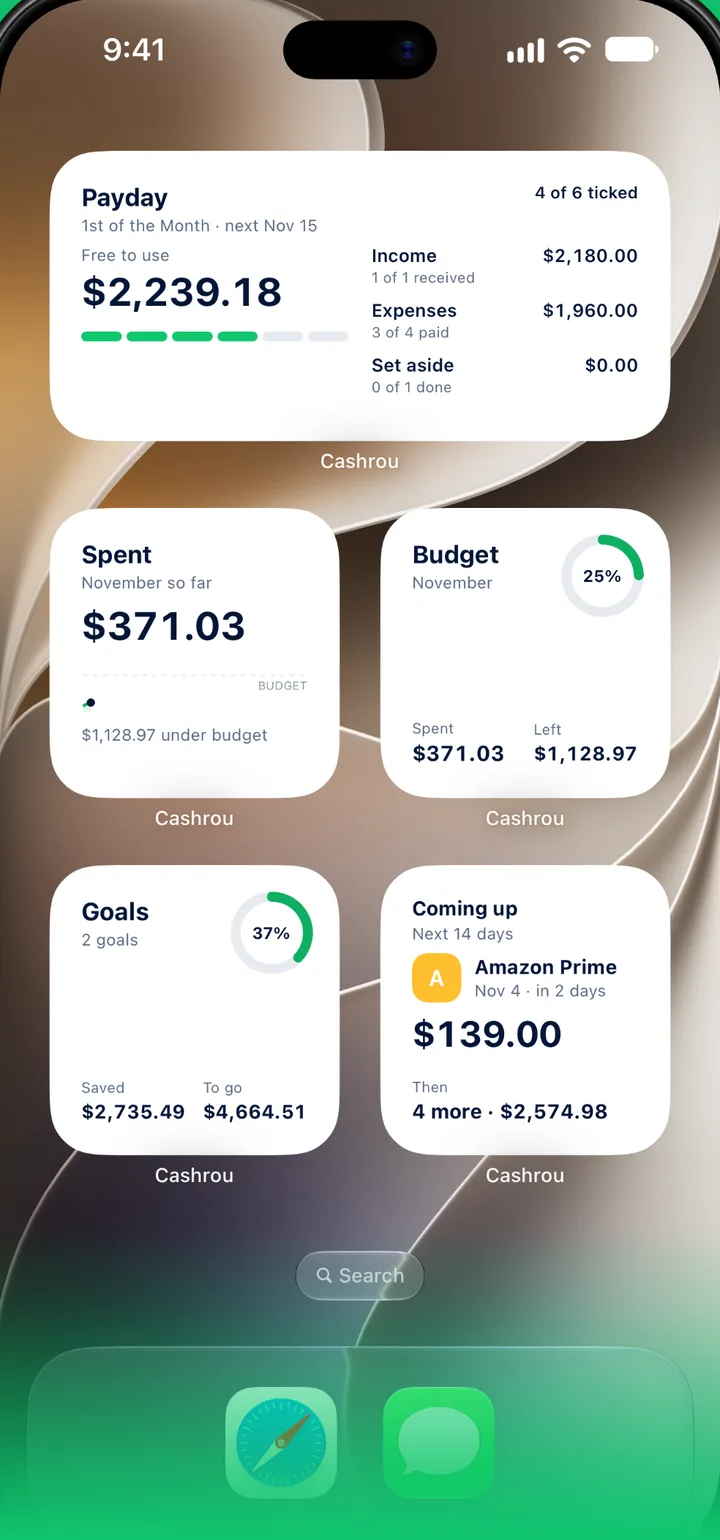
The best check is the one you do not have to open an app for.
Payday, with lines to tick
What is free to use this payday, with every line to tick, in three sizes on the Home Screen and as a circle on the Lock Screen.
Four more to choose from
Goals, Spent, Budget and Coming up. Each can show the whole picture, or follow one goal, one category or one item.
Control Center
What's left shows this payday's leftover. Confirm balances and New transaction open Cashrou right where you need it.
One inbox
Behind the bell on Home, everything Cashrou tells you, newest first: a payday today, an expense due, a subscription about to renew, and news from Cashrou. Your reminder switches live on Reminders.
Setting them up.
The same way as any other app's widgets.
The specifics
Widgets and controls are on every plan, on iPhone and iPad. The Lock Screen figure is the Payday widget's circle.
Works with
Paycheck planner
Plan one paycheck at a time, covering every expense before anything is spent.
Read more →Savings goals
Every goal follows a real account, with a date you set or one your set-aside amounts reach.
Read more →Subscription tracking
Every recurring charge normalised to one monthly figure.
Read more →See it against your own numbers.
Plans from $4.99 a month on iPhone and iPad. Yearly plans start with seven days free.