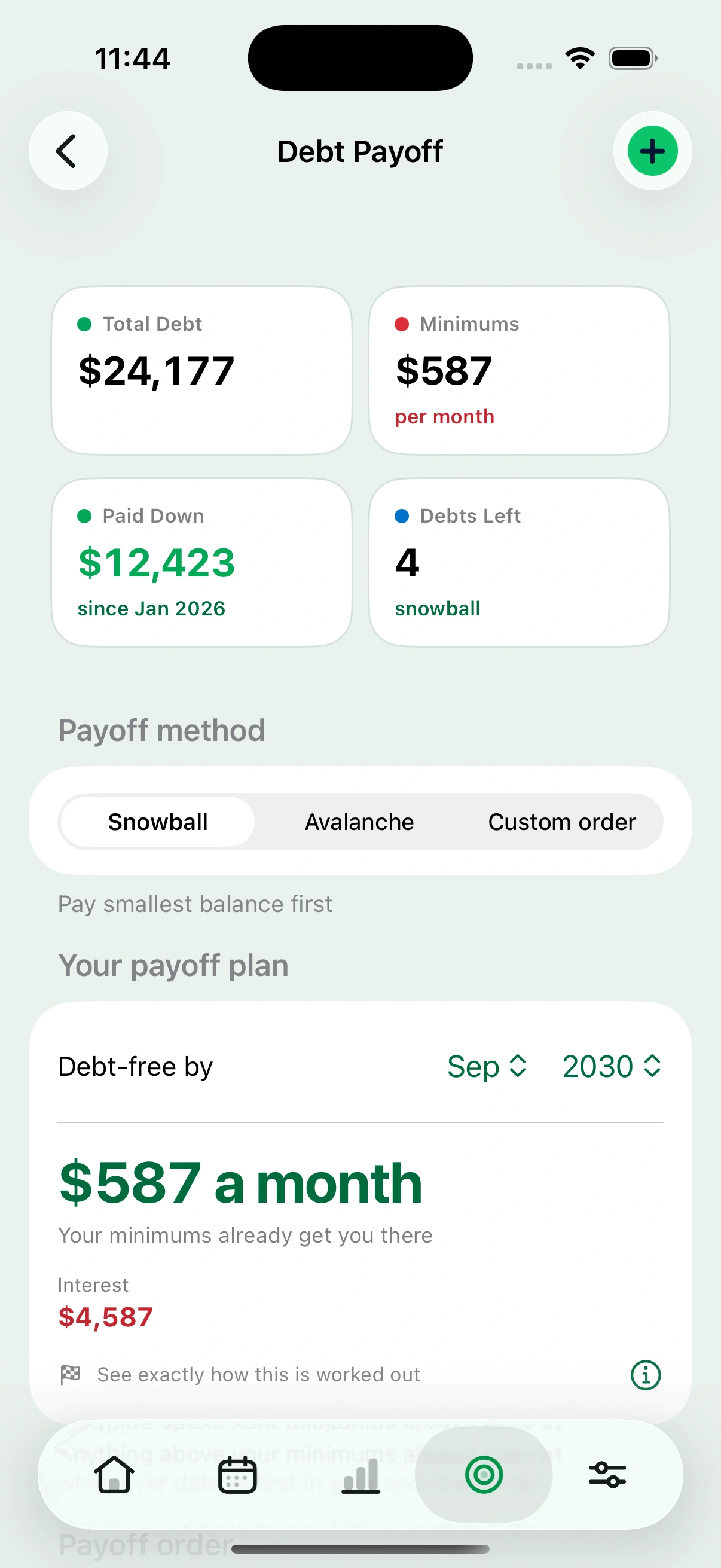
Your debt payoff plan
Every card and loan you have added, ordered by snowball or avalanche, with the month you will be debt free and what the interest will cost you on the way.

Most budgeting apps start with the calendar month. Cashrou starts with your paydays, whether you are paid weekly, every two weeks, twice a month, monthly or a different amount every time.
A monthly budget assumes your money arrives on the 1st and has to last until the 31st. Almost nobody is paid that way.
If you are paid every two weeks, your rent lands in the same pay period as your car payment in some months and not in others. Twice a year you get three paychecks in one month, and a monthly budget quietly reports that as a surplus rather than as the thing that could clear a card. If you are paid twice a month, the 1st paycheck and the 15th paycheck carry completely different bills, and a single monthly figure averages away the difference that actually matters.
The result is a budget that balances on paper and still leaves you short in the second week.
Each block is one stretch you actually have to live through. The month is the only one of them nobody is paid on.
Twenty minutes at the start, and then you do not do it again.
Weekly, every two weeks, twice a month or monthly, and which days. If you are paid fortnightly, Cashrou asks for one real payday to count from, because a fortnightly rhythm cannot be worked out from a day of the month.
Accounts, credit cards, loans, bills and subscriptions. You can type them, or bring them in from a spreadsheet or a bank export and correct what the import got wrong. Most people are set up in under twenty minutes, and the import does the boring half.
The amount you want left in the account no matter what. Cashrou subtracts it before telling you what is free, so the figure on screen is genuinely spendable rather than technically available.
This is the part you repeat. It takes a few minutes.
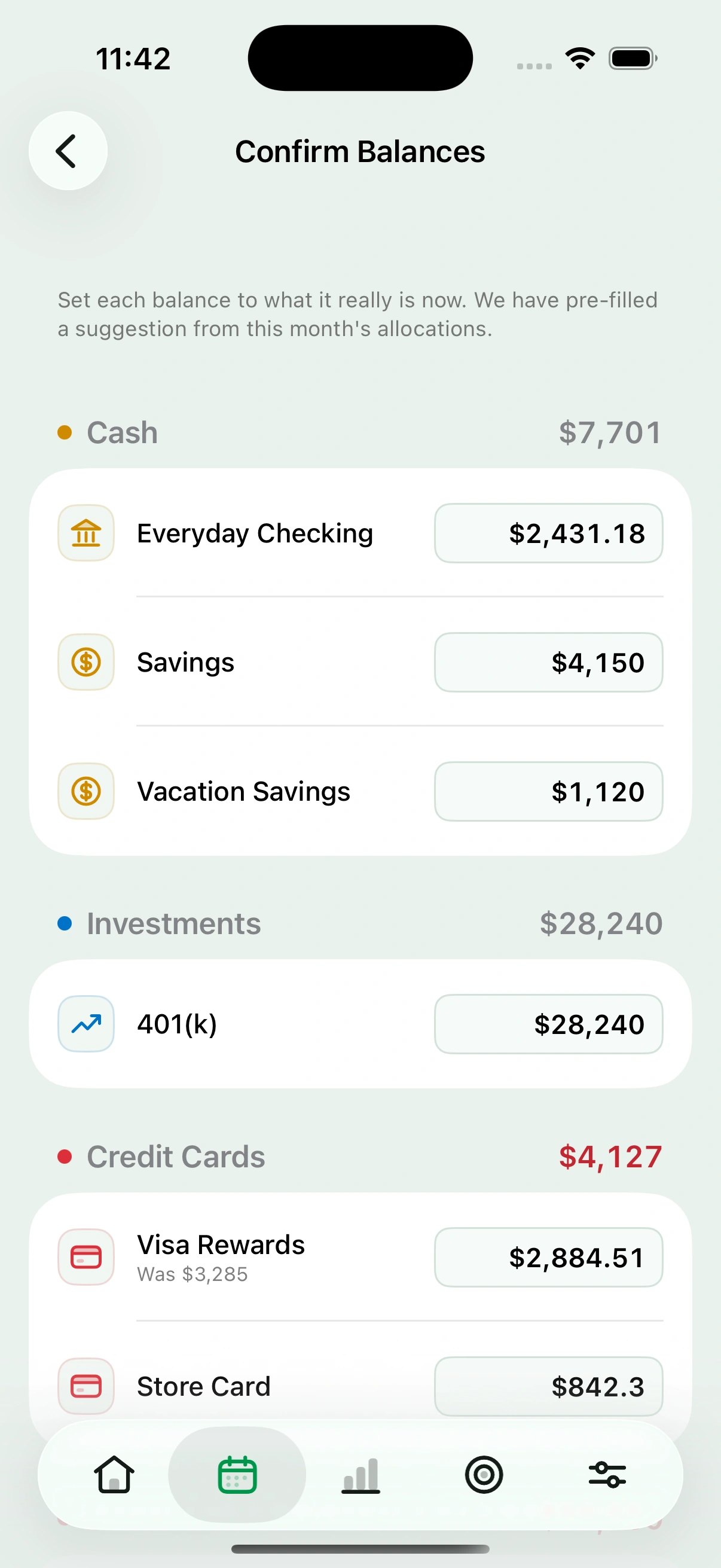
Cashrou asks what your accounts actually hold right now. This is the step that replaces a bank connection, and it is the whole reason the app never needs your bank login.
Your paycheck lands, you tick it. Rent goes out, you tick it. Each tick moves the money: income lands in the account you said it lands in, an expense comes out of the account that paid it, and a credit card payment moves both ends at once. Untick it and everything goes back, because the point is that you can correct a mistake rather than live with it.
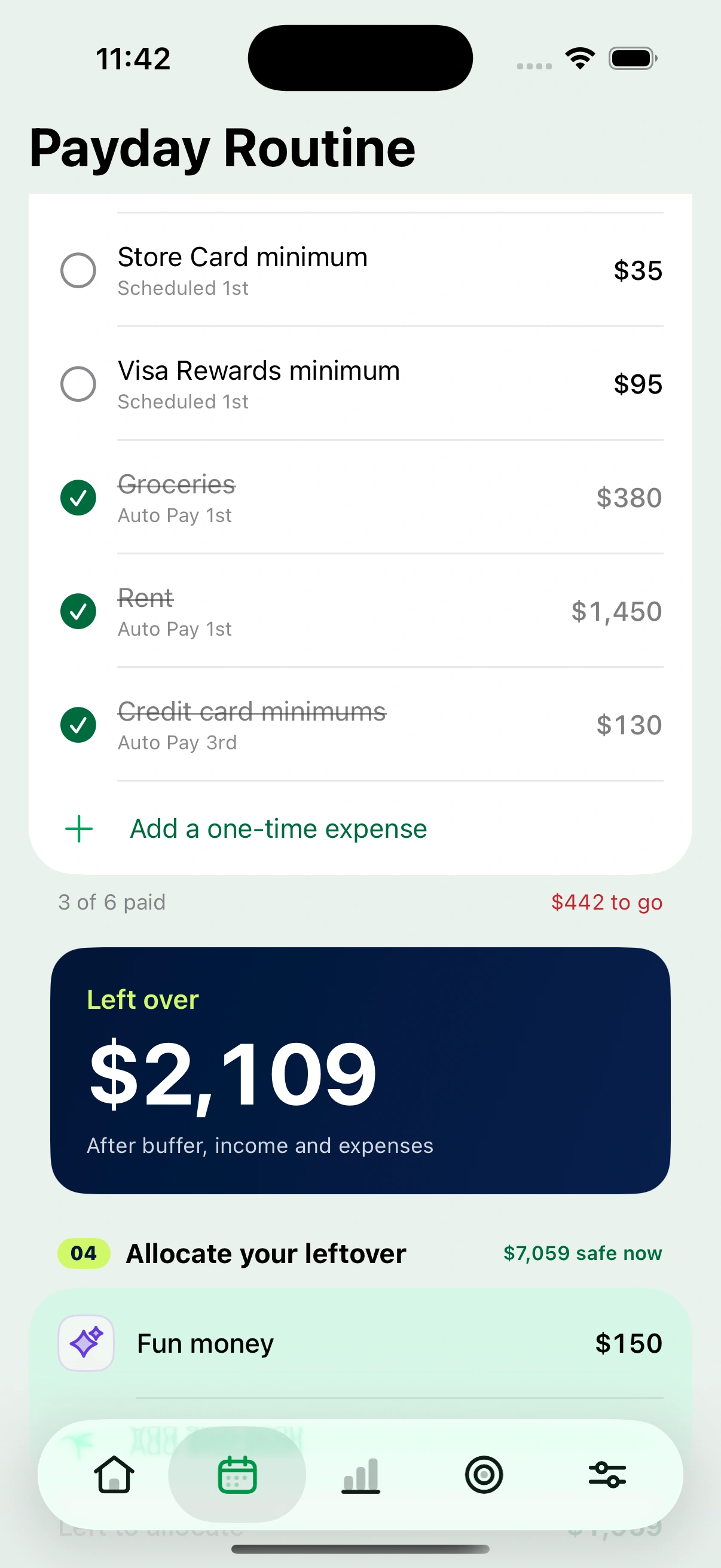
What is left after everything expected has happened and the buffer is protected. That is the figure the whole app exists to produce.
Split the leftover into what it is actually for: extra debt payment, a goal, fun money. Anything you point at a goal or a card updates that goal or that card.
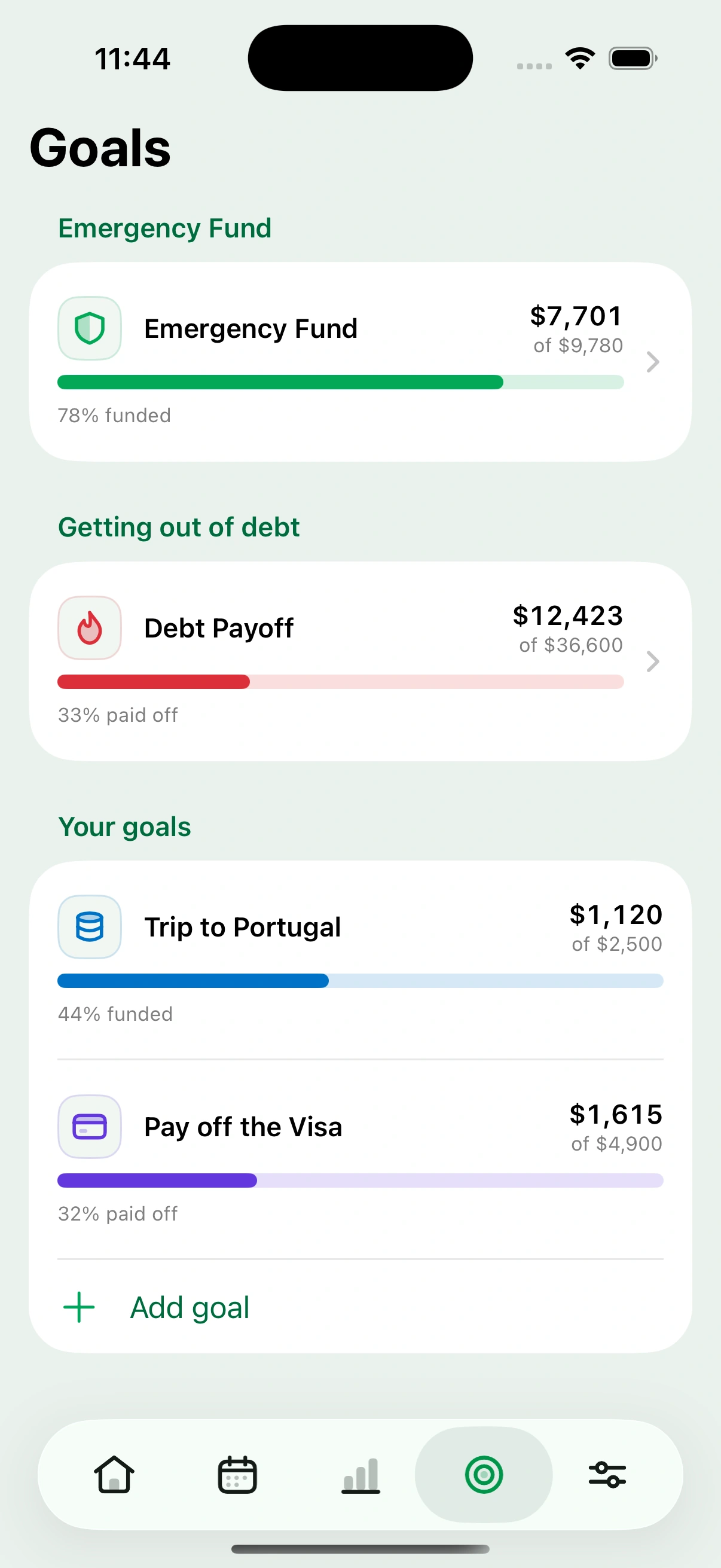
Three things keep themselves current once the payday routine is running, without any separate maintenance.
It does not connect to your bank, so it cannot categorise your spending automatically or tell you what you spent at the supermarket last Tuesday. If automatic transaction tracking is what you want, you want an app that connects to your bank, and Cashrou is not one.
It does not invest anything, move money, or talk to any institution on your behalf. It is a planning tool. Everything in it happens because you told it something.