
Features
Four things, and the first one is the reason the other three exist.
The payday routine
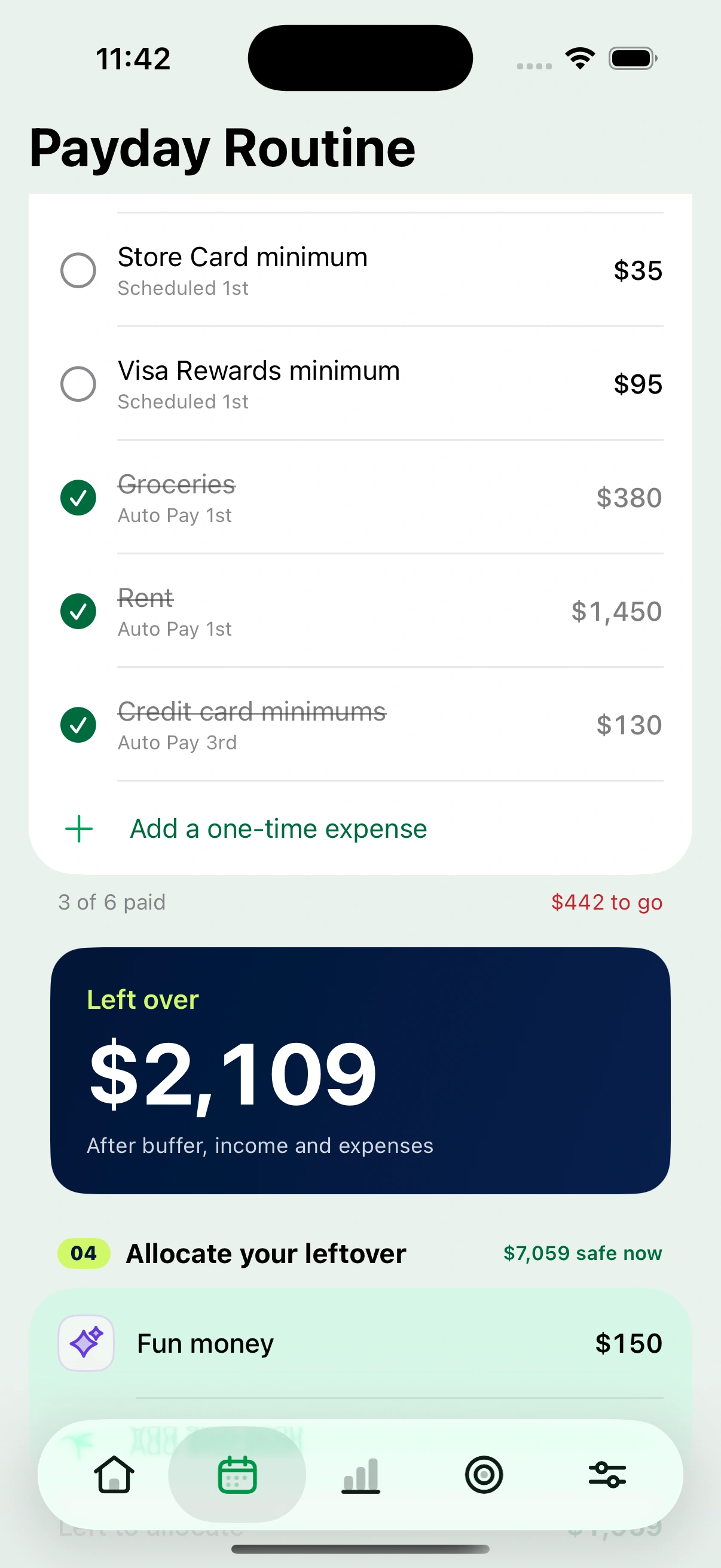
The screen the app is built around. It answers one question: what is actually left between now and the next time I am paid.
The screen the other three feed into.
- Confirm your balances at the start of each payday, so every figure below is based on what you really have rather than what the app last guessed.
- Tick income as it lands and bills as they clear. Each tick moves the money between the accounts involved, and unticking puts it back.
- A buffer you set is held back before anything is called free, so the leftover is genuinely spendable.
- Split the leftover into extra debt payments, goals or fun money, and whatever you point at a goal or a card updates it.
- Credit card payments move both ends, so paying $400 off a card takes $400 from the account and reduces what the card owes, in one tick.
- Shared bills can record what somebody else pays back, so only your share counts.
Debt payoff
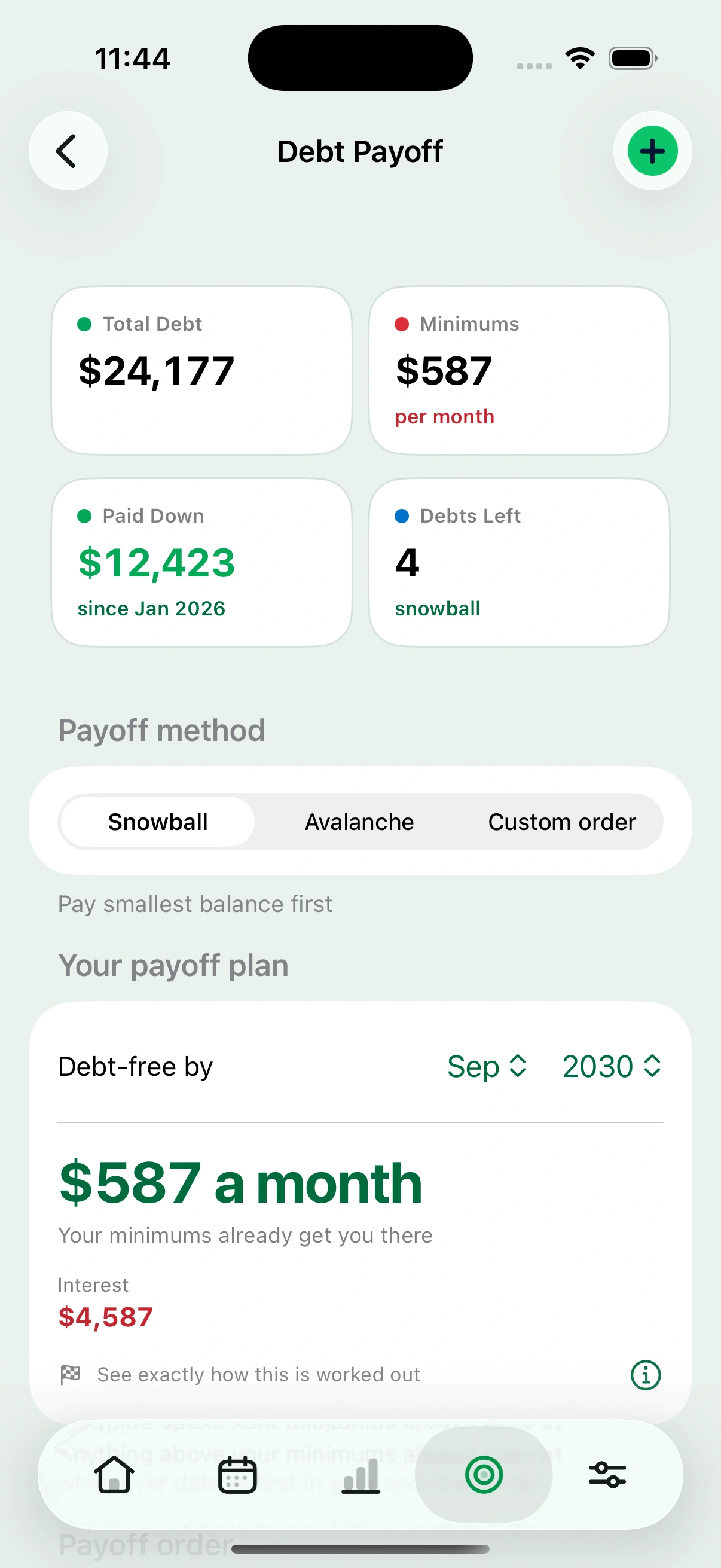
Every card and loan in one plan, with a real date on it.
- Snowball, avalanche or your own order. Smallest balance first, highest interest first, or the order you decide.
- A debt-free month, worked out from your balances, rates and minimums.
- What the interest costs you, so the choice between the two methods is a number rather than a philosophy.
- Minimum payments become bills automatically, so they appear in the payday routine without being entered twice.
- Progress since you started, rather than progress since you installed the app.
Goals that track themselves
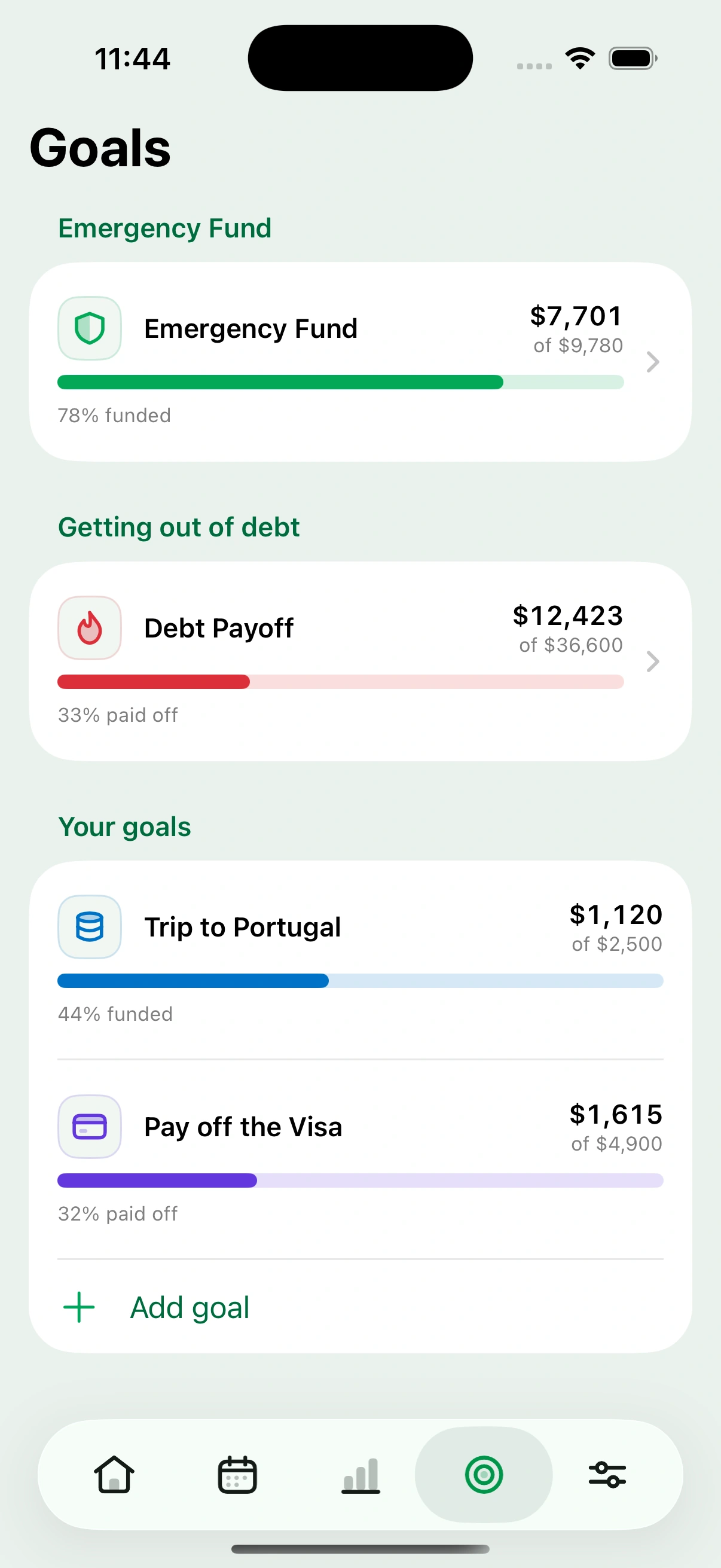
- Link a goal to the accounts that hold the money. The progress bar reads the balance, so it is right without being maintained.
- Savings goals, investment goals and payoff goals, including a payoff goal that spans several cards at once.
- An emergency fund target built from your own outgoings, rather than a round number somebody else picked.
- Send part of a payday’s leftover straight at a goal from the payday screen.
Subscriptions
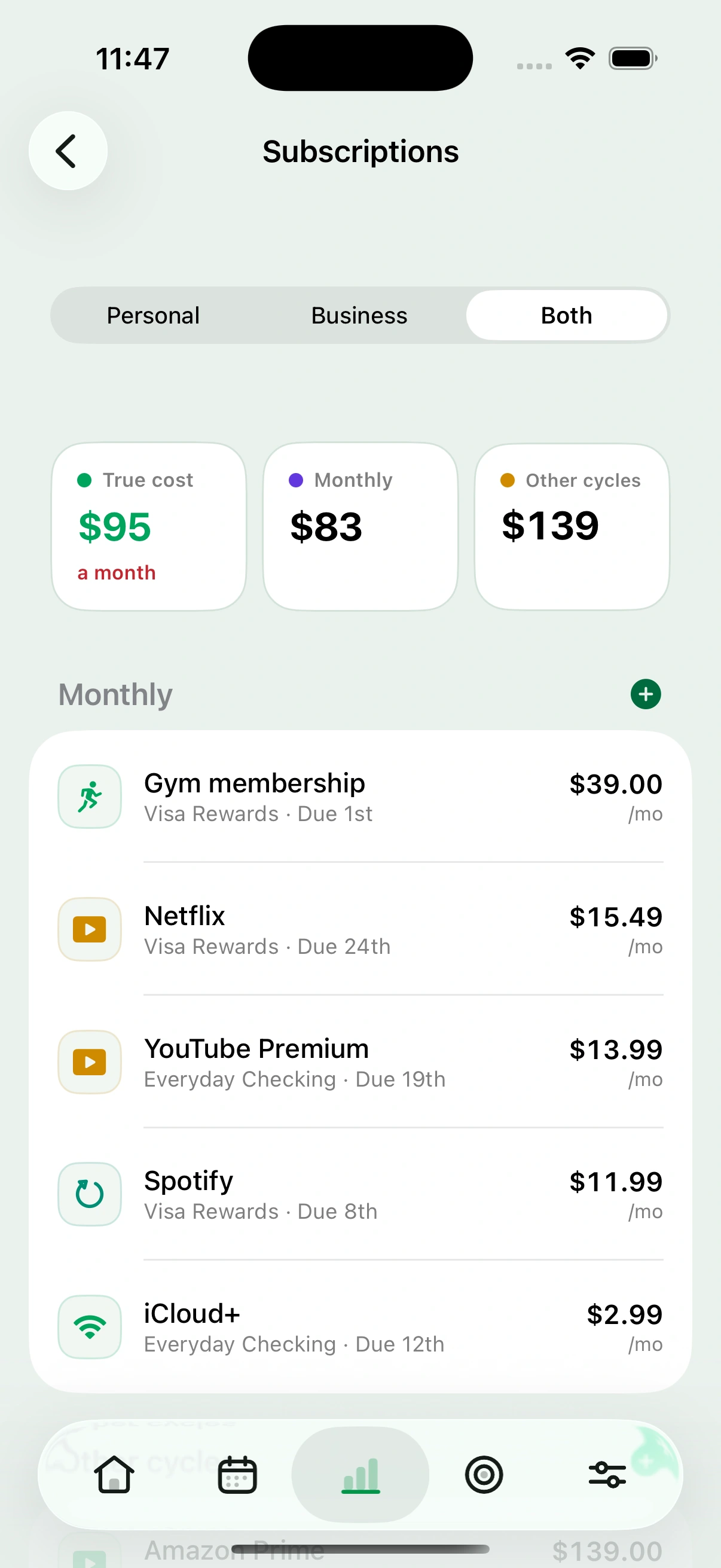
- Everything recurring in one list, monthly and annual together.
- A true monthly cost that spreads annual charges across the year, so a $139 yearly charge shows as what it really costs a month.
- Which card or account each one charges, which is usually the thing you have forgotten.
- They appear in the payday they land in, rather than as a lump sum somewhere else.
Also in it
The parts that do not need a screenshot to explain, and are in every plan anyway.
Net worth
- Everything you own and everything you owe, in one total.
- Tracked month over month, so the direction is visible.
- Cash, investments, vehicles and valuables as separate groups, with part ownership if something is half yours.
Across your devices
- iPhone, iPad and the web on one account, with the same figures on each.
- Sign in with a link or with Apple. There is no password to lose.
- Your data exports to a file whenever you want it, including after a subscription lapses.
Set-up that does not take an evening
- Import from a spreadsheet or a bank export instead of typing everything in.
- Personal and business kept apart, if you have both, with one switch to see either or both.
- English and Spanish.
And what it does not do
No bank connection, so no automatic transaction feed and no automatic categorising. You tell Cashrou what your balances are. That is a real trade: it is why the app can never leak a bank credential, and it is also why it will never tell you what you spent at the supermarket without you saying so.
If the automatic feed is the part you want, that is a fair reason to pick something else, and we would rather say so here than have you find out after paying.
- No bank connection
- No automatic transaction feed
- No automatic categorising
- It never moves your money